GREEMS
ParkIQ
EN
עב
For employees
Book it, charge it, done.
Reserve a charger according to the schedule your company sets, activate it when you arrive, and free the bay when you’re done so the next person can charge.
1
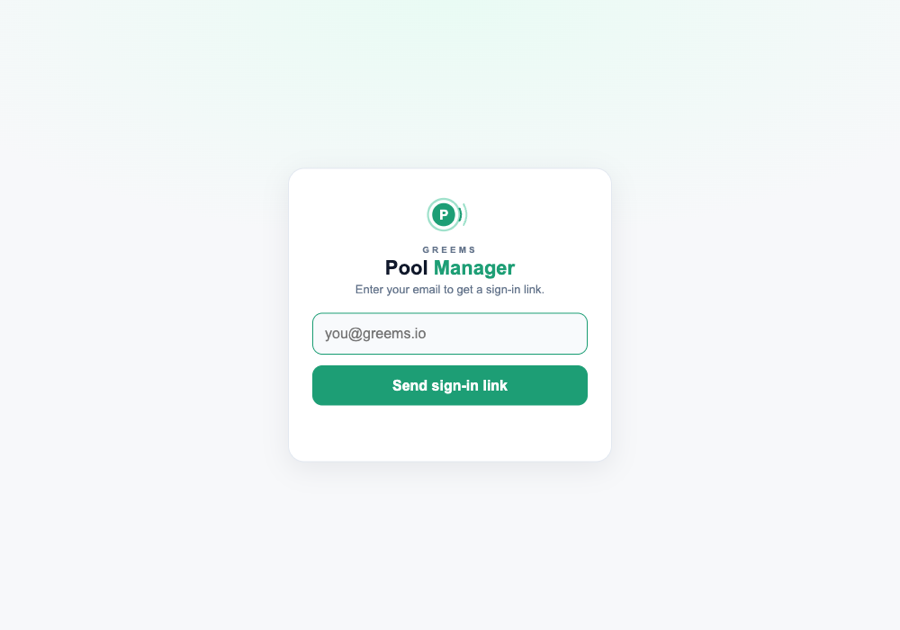
Sign in
No app to install — scan the QR or open the link, then sign in.
- Scan the QR at the charger — or open the link your manager shared — to open the booking page.
- Enter your work email (@corporate.com) — or tap Sign in with Microsoft if your company uses it.
- You're in — no password, no waiting. instant
Any email on your company's approved domain works. If your company also turned on email verification, you'll get a one-tap sign-in link instead of signing in instantly.
2
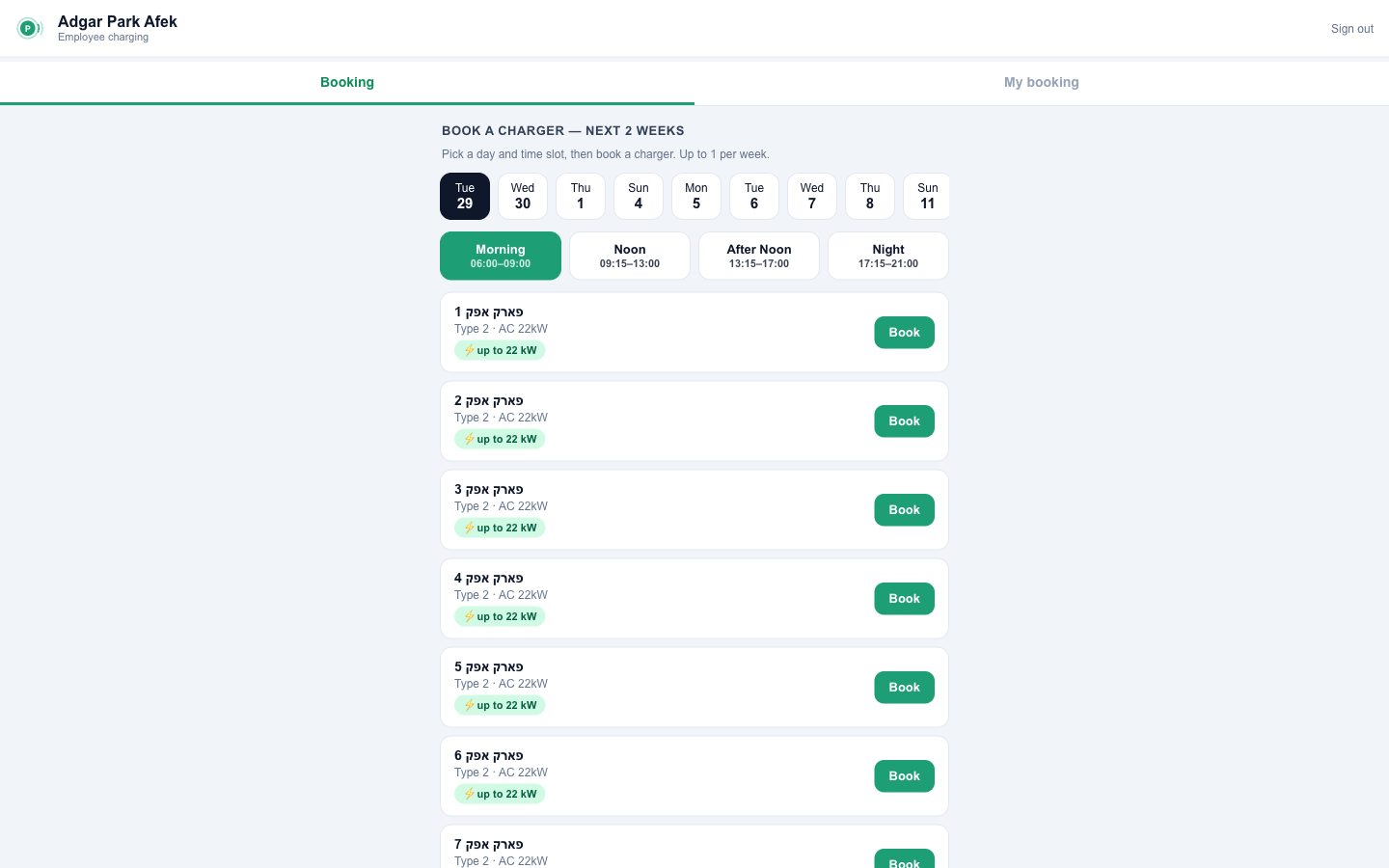
Book a charger
Reserve a charger for a time slot, so it’s waiting for you — no circling the car park.
- In the Booking tab, pick a day and a slot (e.g. Morning, Noon, After Noon or Night).
- Choose a free charger and tap Book.
- It shows up under My booking. reserved
Each charger holds one booking per slot, and you get a set number of bookings per week (your manager decides how many, how far ahead, and which days).
💡 Tip: Book the day before for a busy morning — you’ll have a guaranteed bay when you arrive.
3
Find a charger
Every charger, its status, its plug and its speed — at a glance.
Available
In use
Out of order
Type 2AC · everyday top-up
CCS2DC · the fast one
Match the icon to your car, and each bay shows its max speed (e.g. up to 22 kW). In-use chargers show a “free by ~HH:MM” estimate so you know when one opens up.
4
Start charging
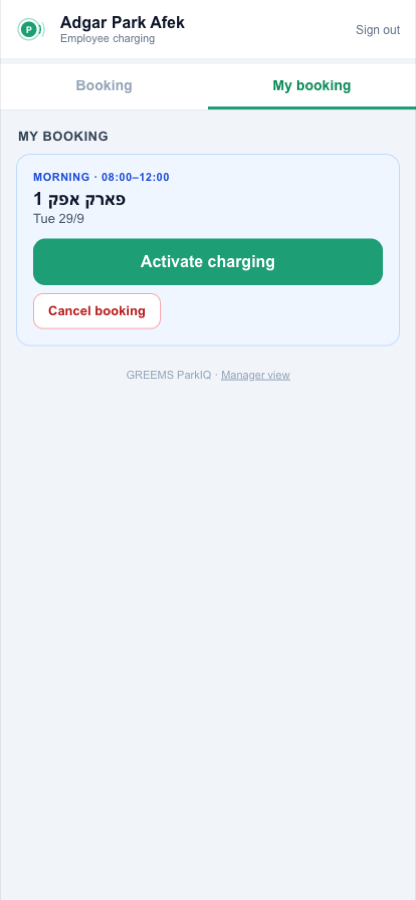
Activate your booked charger the moment your slot begins.
- When your slot is live, open My booking and tap Activate charging.
- Only you can start the charger you booked, during your slot — no one can jump your bay.
- The page updates to show your active session.
5
While you charge
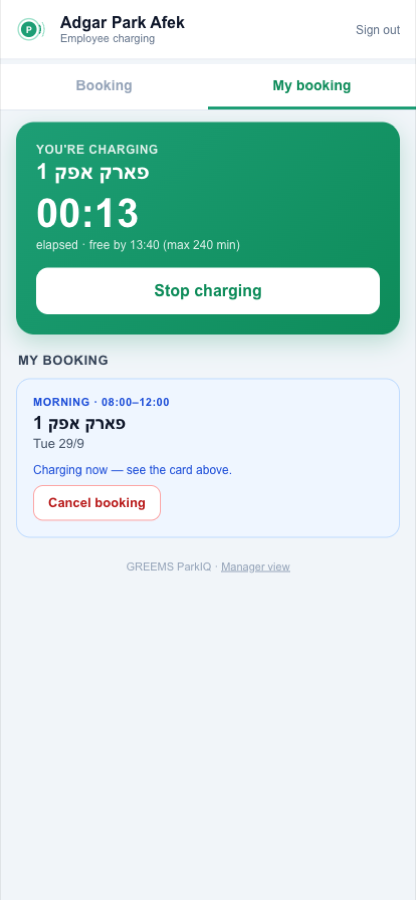
Track your time and know exactly when to head back.
- ⏱️Live timerWatch your elapsed charging time.
- 🕒Free by HH:MMYour start time plus the pool’s max session length.
- ⏹️Stop chargingEnd your session when you’re done. One session at a time.
- 🔔Running late?If you don’t activate your booking, we’ll email to ask if you’re still coming — tap Cancel to free it for a colleague.
There are fewer chargers than drivers, so sessions have a time limit — when yours is up, please move your car so a colleague can charge.
💡 Tip: Watch for your “time’s almost up” reminder so you’re never the one blocking a bay.
Every spot, smarter.
Need a hand? Reach your facility manager or contact GREEMS support at help@greems.io.